All the APIs provided are mentioned in the official API documentation https://business.jaidkhata.com/docs
After installing the API-Connector module login with username & password
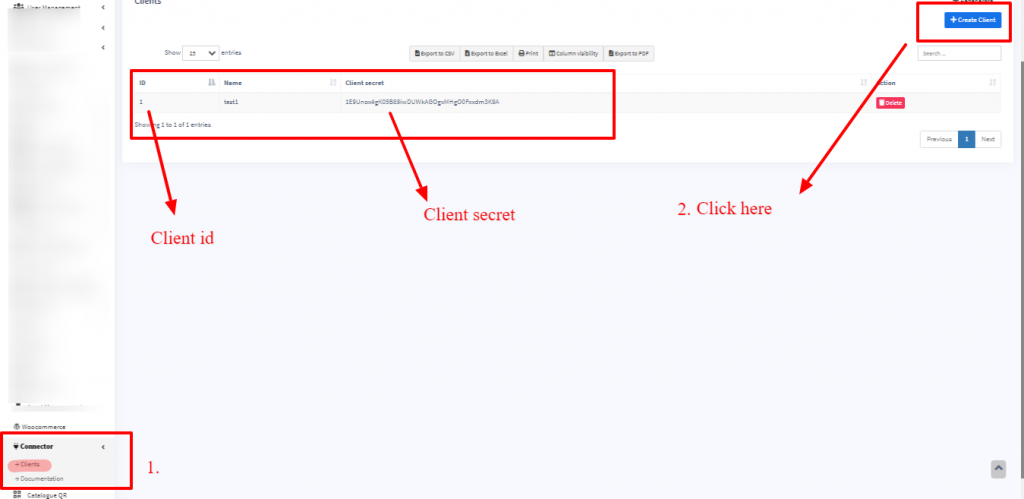
Go to Connector -> Clients
Click on “Create Client” button and it will show a popup.
Enter the name (any name is fine) & Save
In the list of clients, it will show the id, & secret. Check screenshow below.
NOTE: Only the superadmin users can view the Connector -> Clients page. So if any other users need a client id or secret then the superadmin user should generate and send it to them.